
Letting Sunny’s agent see the room, in about a second
An agent lays out a room better when it can look at it, not just read coordinates. Sunny’s agent used to need the web app open in a tab to see a room. Now a server draws the picture, from any angle, in about a second.

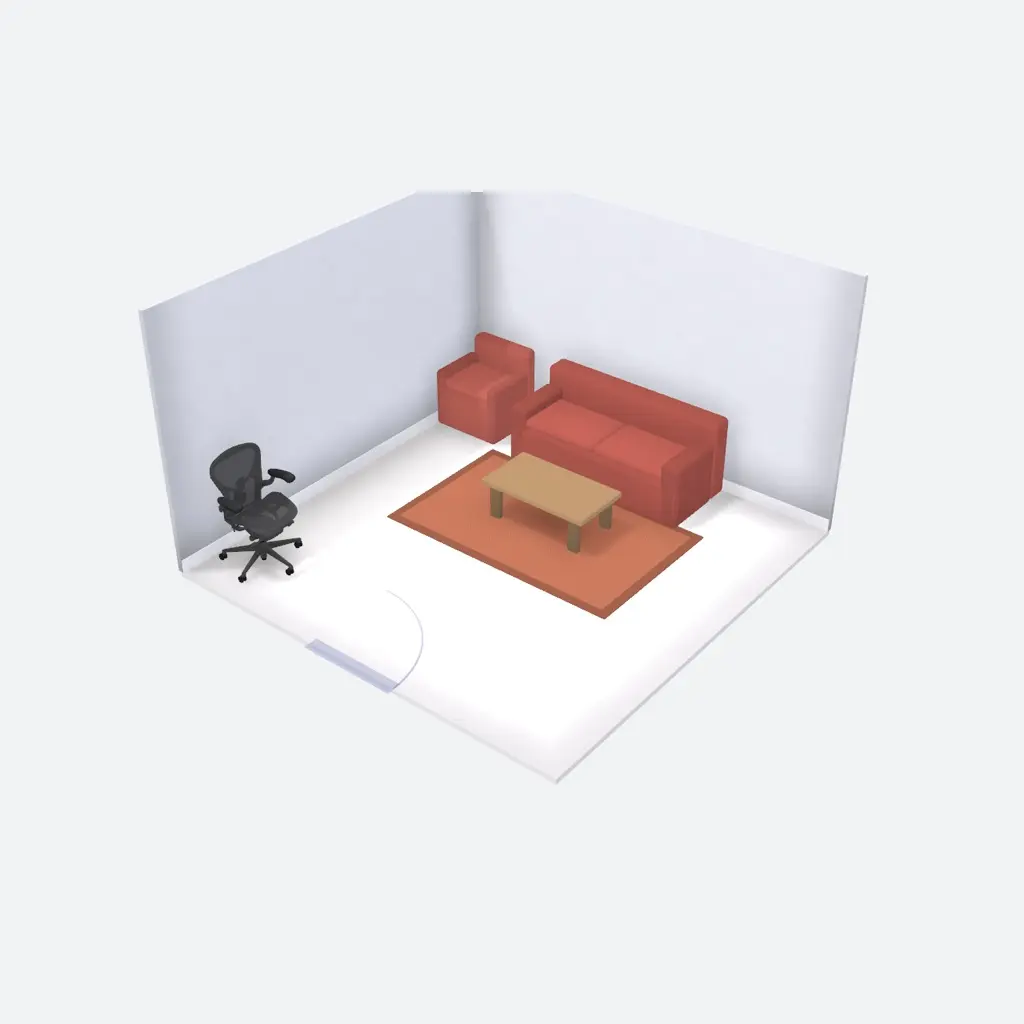 Before, headless browser 37.5 s
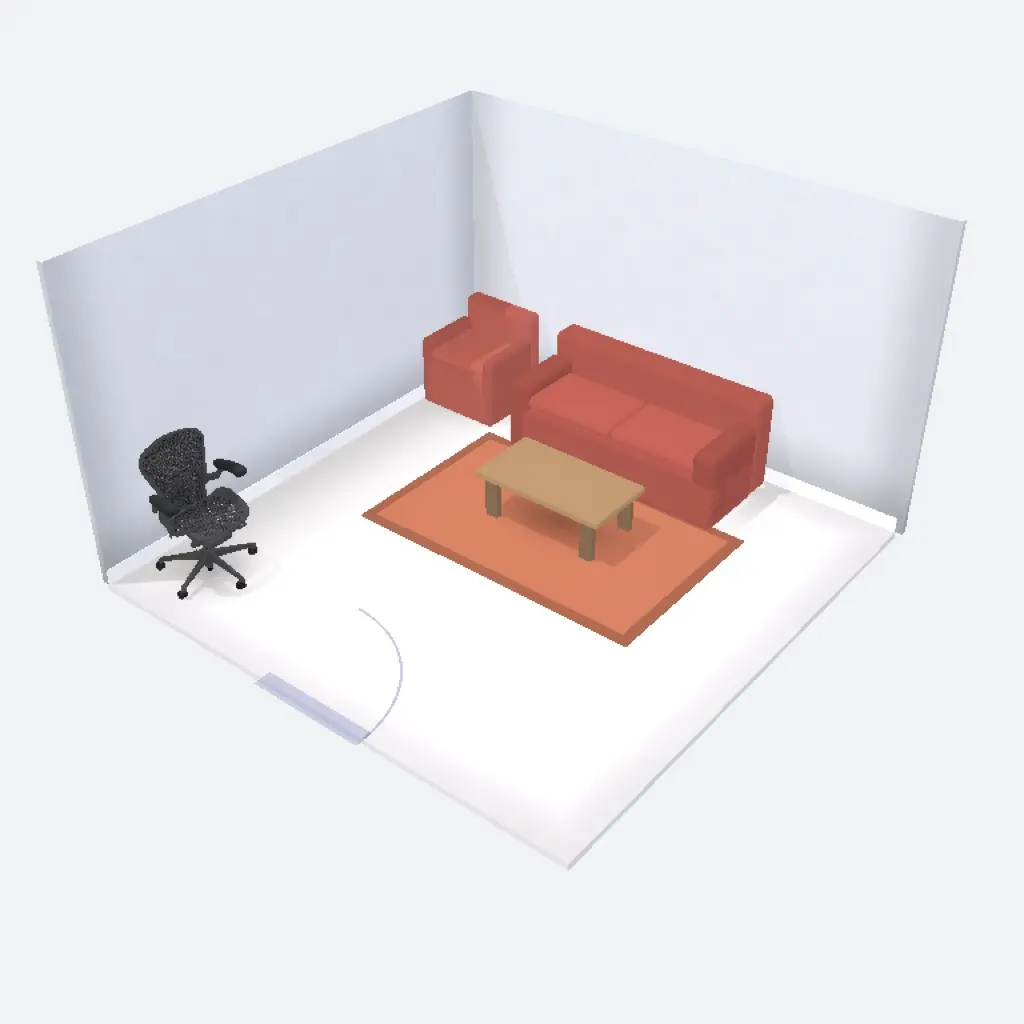 After, server GPU 1.3 s
~1 sfor a room picture with full textures, on a warm machine
0.3–0.7 sfor the color-coded look the agent uses while it moves pieces
Anysurface: chat, phone or API, with no web app open
Sunny lays out offices. You describe a room, and Sunny’s agent places real furniture from a maker’s catalog: desks, chairs, tables, storage. This post is about one part of that agent that is easy to overlook: how it sees the room it is working on.
What the agent had to go on
The agent’s first view of a room was a list of numbers. It gets the room’s size and where its door is, then each piece’s position, size and facing, in meters from the top-left corner.
What the agent reads for the lounge above (trimmed)
{
  "room": { "w": 4, "d": 4,
    "openings": [{ "kind": "door", "side": "front", "center": 0.5, "width": 0.9 }] },
  "items": [
    { "id": 1, "name": "Lounge Chair", "x": 0,    "y": 0,    "w": 0.82, "d": 0.82, "facing": "down" },
    { "id": 2, "name": "Sofa",         "x": 1,    "y": 0,    "w": 2,    "d": 0.9,  "facing": "down" },
    { "id": 3, "name": "Coffee Table", "x": 1.45, "y": 1.15, "w": 1.1,  "d": 0.6 },
    { "id": 4, "name": "Rug",          "x": 0.8,  "y": 0.8,  "w": 2.4,  "d": 1.5 },
    { "id": 5, "name": "Aeron Chair",  "x": 0.1,  "y": 3.11, "w": 0.7,  "d": 0.68, "facing": "right" }
  ]
}
That is enough to place furniture, but not to judge it. Nothing in the list says the sofa crowds the chair beside it, or that an office chair stands alone with no desk. We later added a 2D plan, drawn straight from the same numbers. It helped with spacing and clearances, but it shows footprints, not what the room looks like.
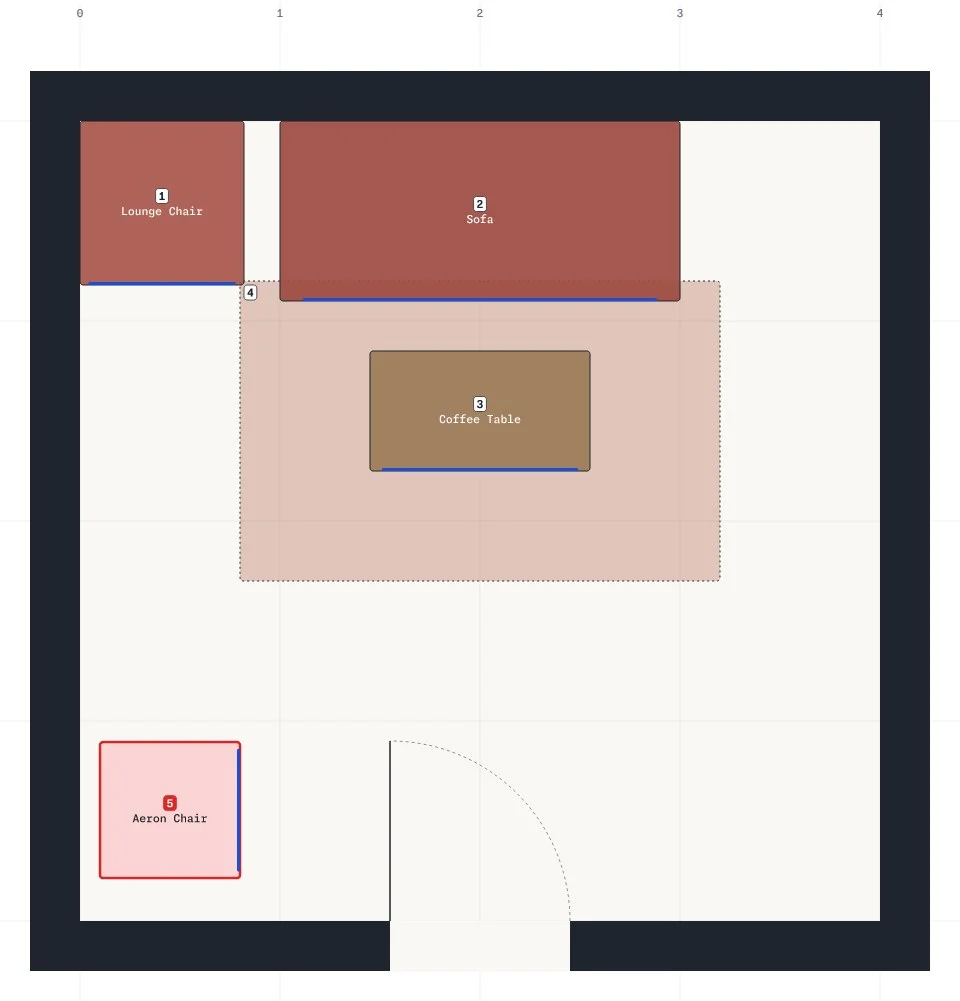
A designer would spot both problems at a glance, from a couple of angles. We wanted the agent to check its work the same way: look at the room after each change, from wherever it needs to. That only works if a picture is quick to get and looks like what you see.
Seeing a room without a tab open
Pictures first came from Sunny’s web app, where people edit their rooms in 3D. While the app was open, it took a snapshot and sent it to the agent. The picture was good, but only while you kept the tab open. Close it, or ask from your phone or a chat app, and the agent was working blind.
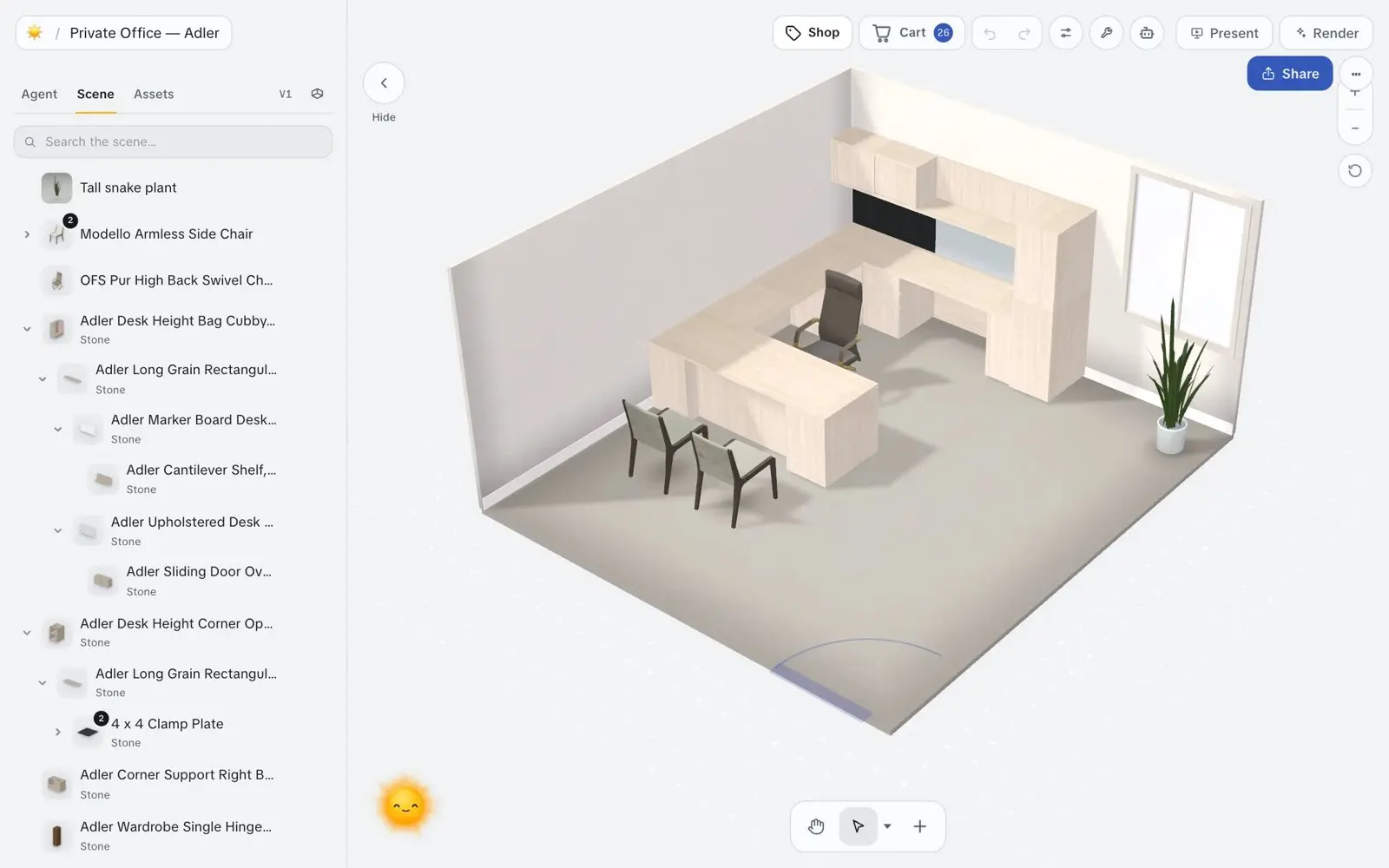
So the goal was a picture the agent could get on its own, on any surface, that matched what the web app shows. The first try opened the web app in a headless browser on a server. It worked, but a picture took 25 seconds to over a minute, and some never finished. An agent that waits that long for every look stops looking.
One scene, drawn on a server
So we built a server renderer. It runs the same scene code as the web app, so the agent judges the room you see. Wall colors, cut-away walls and door swings are written once, and every renderer calls them.
- The agent asksa room, a camera, a look
- Server GPU drawsthe default, warm in about a second
- Backup containertakes over if the GPU is unavailable
We tried it in three places: a serverless GPU (an NVIDIA T4 on Modal, billed by the second), serverless CPU machines, and a container on Cloudflare. On rooms, all three land within a second of each other once warm. The GPU became the default because it was the most dependable and pulls ahead as scenes grow. The container is the backup.
Every time in this post is for a warm machine, one that is already running, unless it says otherwise.
The GPU was waiting on the CPU
Profiling a 245-piece room showed the GPU itself needed only 10 to 70 milliseconds. Most of the roughly 2 seconds was CPU work in the 3D library, which pays a cost for every object it draws. That room drew about 880 objects built from only 38 distinct models. Two changes fixed most of it:
- Repeated pieces draw as one batch. Twenty identical chairs become one draw, using the same batching code as the web app.
- The renderer keeps one set of lights. The 3D library compiles every material for the lights in the scene, so fresh lights for each picture meant recompiling everything. Now the renderer keeps one set and updates it for each room.
scene-build.ts
export function buildLights(room: Room, placementCount: number): THREE.Group {
  // …
  const rig = sharedRig;
  if (!rig || !sameRig(rig, fresh)) {
    fresh.traverse((o) => retained.add(o));
    sharedRig = fresh;
    return fresh;
  }
  for (const [i, from] of fresh.children.entries()) copyLight(rig.children[i]!, from);
  return rig;
}A color-coded look for placing
To check where a chair landed, the agent needs to tell pieces apart and see where they stand. It doesn’t need wood grain. So it can ask for a second look: a color-coded render (flat matcap shading, for the 3D-minded), with no textures or lights and each piece tinted its own color.
That leaves little for a GPU to do, so color-coded pictures run on serverless CPU machines, which cost about a sixth as much per second. The agent uses the color-coded look while it moves pieces around, then full textures to check the result and show it to you.
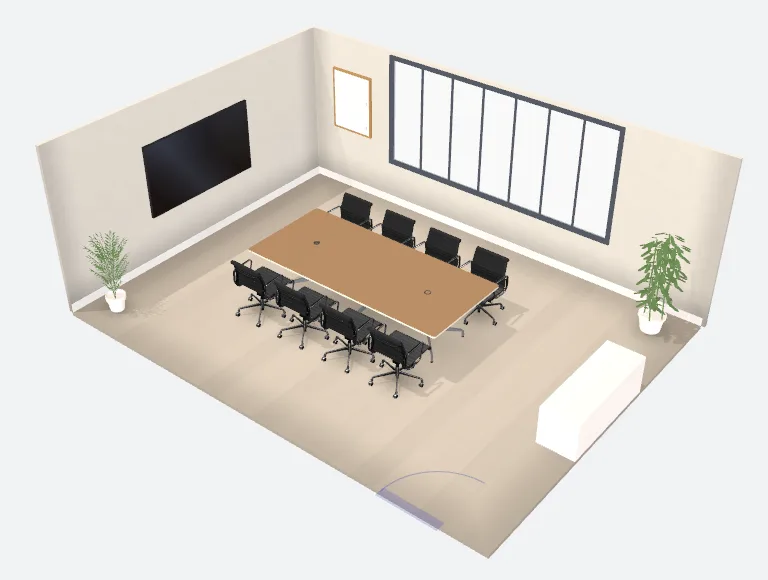 Full textures, GPU 0.66 s
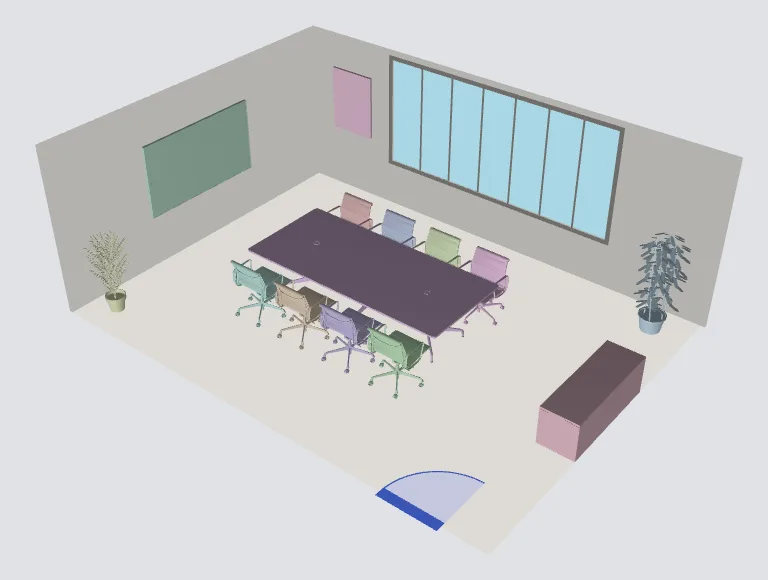 Color-coded, CPU 0.33 s
Fast enough to look after every edit
In production on 4 November, a room picture took 0.4 to 0.8 seconds with full textures on most rooms, and 0.3 to 0.7 seconds color-coded. Room size barely changes it: the 245-piece open office draws about as fast as the 5-piece lounge. At that speed the agent can move a piece, look, and move it again without you waiting on it.
- Editplace or move pieces
- Looka picture in about a second
- Checkanything crowded, blocked or alone?
…and round again until nothing looks off.
| Room | Color-coded, CPU | Full textures, GPU |
|---|---|---|
| Small lounge, 5 pieces | 0.51 | 0.48 |
| Conference room, 17 pieces | 0.33 | 0.66 |
| Private office, 36 pieces | 0.37 | 0.46 |
| Bullpen, 39 pieces | 0.54 | 1.35 |
| Desk area, 79 pieces | 0.67 | 0.77 |
| Desk clusters, 116 pieces | 0.37 | 0.38 |
| Open office, 245 pieces | 0.46 | 0.64 |
The first picture on a machine that has to start up takes 10 to 20 seconds, almost all of it getting the machine. That is a billing choice, not a limit of the renderer: a machine kept warm never pays it. Every render now records whether it started cold, so we can size that from real use.
The wait before the picture
Before it draws anything, the server checks who is asking and reads the room: its walls, its pieces and the catalog they come from. On a color-coded picture, that used to take longer than the drawing.
Our database lives in one data center in Virginia, but the server code ran wherever a request came in, so every query crossed the country and back. Sending the queries at once barely helped: each request talks to the database over a single connection, so they still went one at a time. Running the server next to the database did help. A typical lookup went from 412 to 148 milliseconds.
That left about one call in five taking 1 to 2 seconds. To check a sign-in token, the server needs public keys from our sign-in service, and each server process fetched its own copy. Those fetches were rare, so the sign-in service was usually idle and took a second to wake up. Now the processes in a data center share one copy, and in 100 production calls none had to wait. The slowest lookup in a hundred went from 2.0 to 0.8 seconds.
Whole floors, too
The agent also plans whole floors, so it sometimes needs to see one at once. At first the 800-piece floor we tried took 77 seconds, even warm.
The cause was inside the furniture files. Makers publish their furniture as 3D model files, and a file can also carry the lights and cameras the maker used for product shots. A viewer showing one chair never notices. One armchair carried three studio lights, and the floor held 31 of those chairs: about 93 extra lights, each adding work to every pixel. Now every renderer strips lights and cameras from a model as it loads. With batching on top, that floor draws in about 3 seconds with full textures. The color-coded look also draws simpler versions of each model, with far fewer triangles, which brings it to about 1.3 seconds.
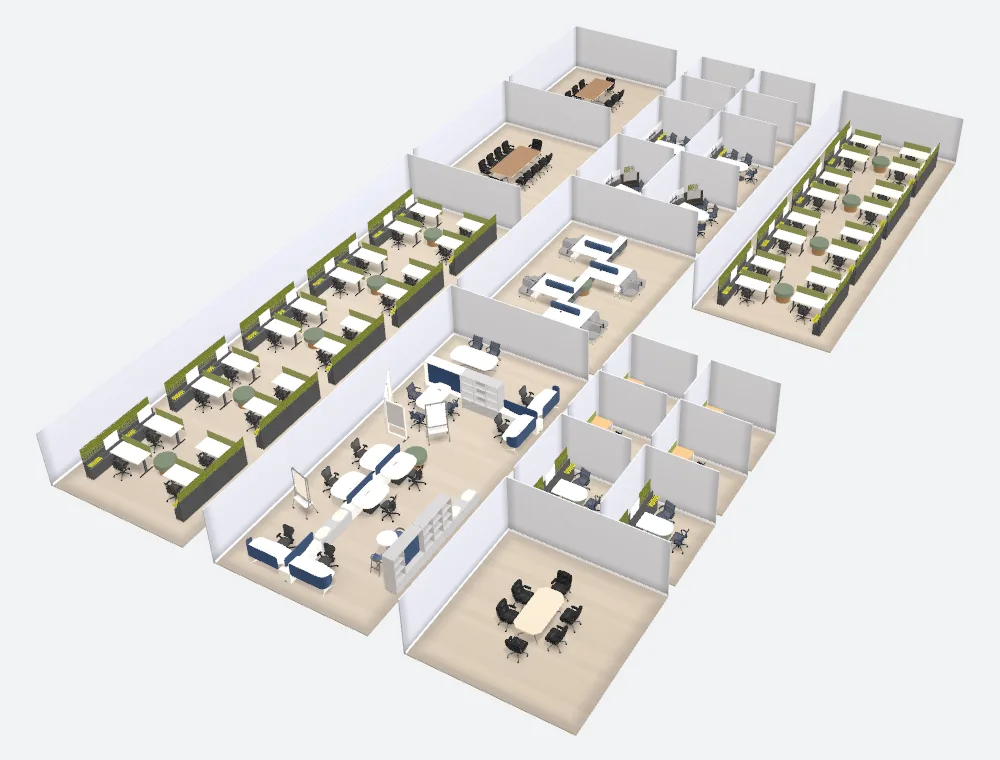 Full textures, GPU 3.3 s
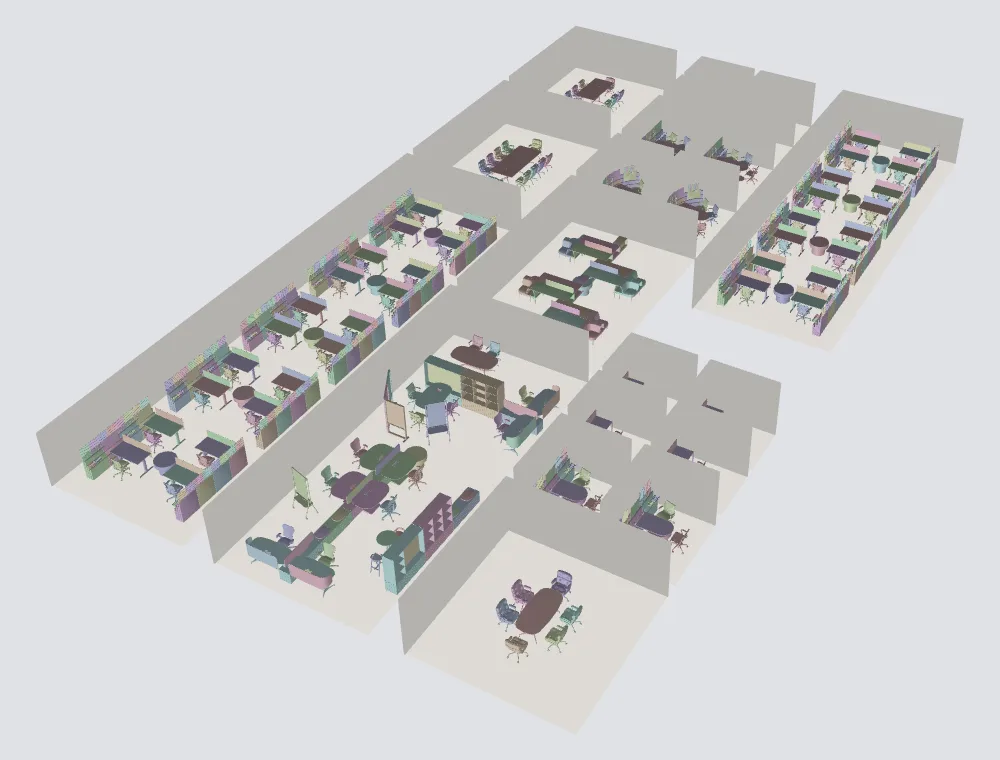 Color-coded, CPU 1.3 s
Choosing what to look at
Once pictures were cheap, we gave the agent more say over them. It can pick a camera: from above, eye level, low, facing one wall, or from a chosen corner. It can zoom onto a few pieces or one part of a room, and onto chosen rooms on a floor.
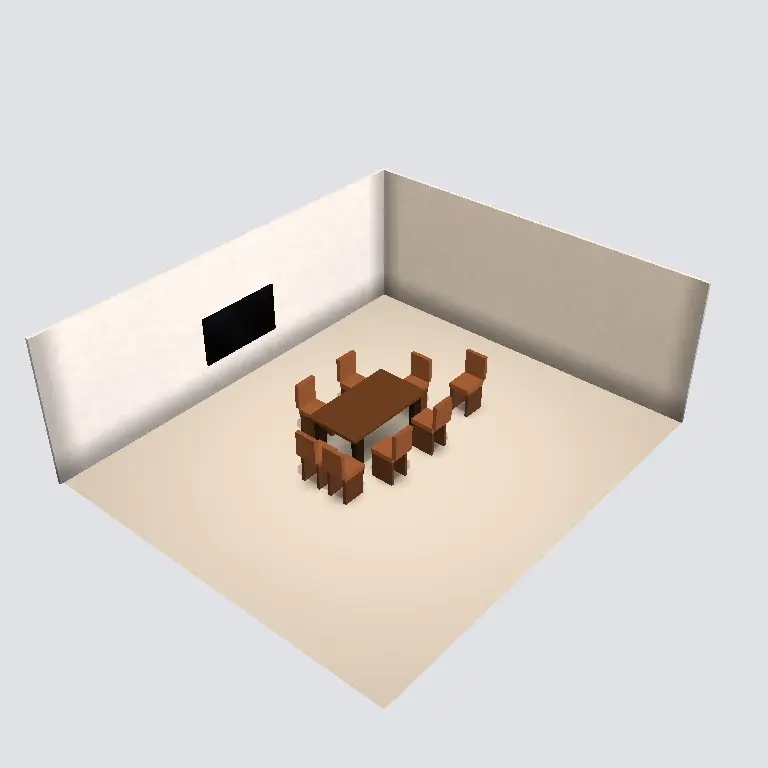 Corner view 1.4 s
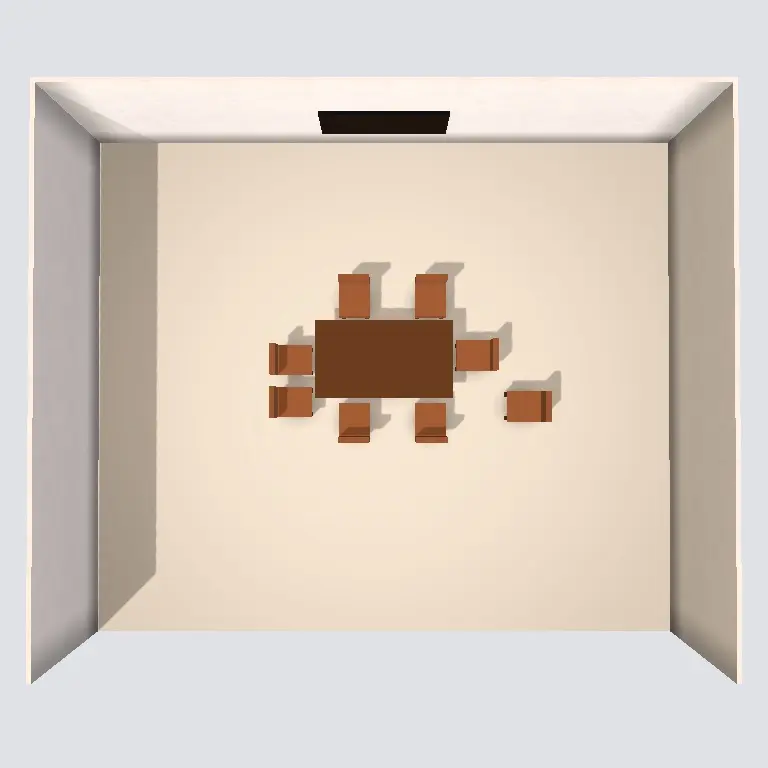 From above 1.6 s
We expect those tools to matter more than the next tenth of a second. A close look at the corner the agent just changed tells it more than another view of the whole room.
Times are rendering only unless a figure says otherwise, with the picture cache bypassed. Looking up the room and checking access adds about a quarter second before rendering starts. Warm figures are medians of three to six runs; cold figures are single runs on a fresh machine. Rooms and floors are real production layouts, some drawn on our test environment.
